
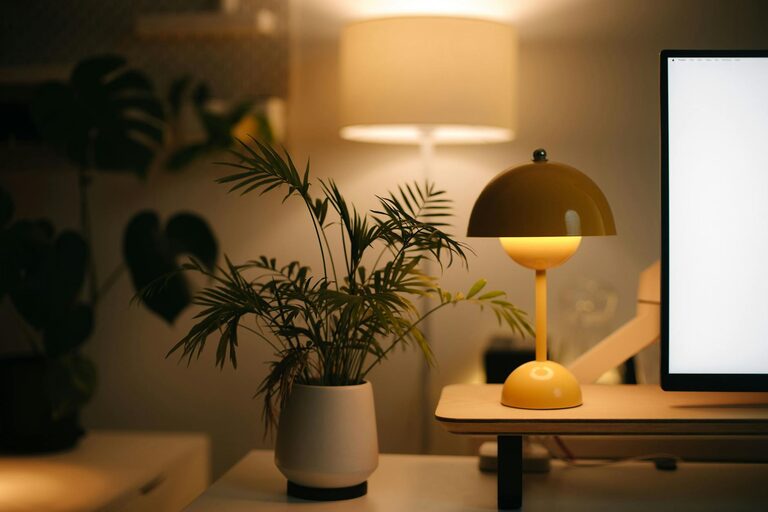
Tips for Creating a Cozy and Functional Home Workspace
Creating a cozy and functional home workspace is essential in today’s world where many people work remotely or spend significant time on personal projects at home. A well-designed workspace not only enhances productivity but also supports your comfort and focus throughout the day. Whether you have a dedicated room or a small corner, these tips will help you set up a space that feels inviting and keeps you organized.
1. Choose the Right Location
Selecting the best spot for your home workspace is the first step toward comfort and efficiency.
– Natural Light: Aim for a location near a window. Natural light improves mood and reduces eye strain.
– Low Distractions: Pick a quiet area with minimal foot traffic or noise interruptions.
– Space Availability: Ensure there’s enough room for your desk, chair, and other essentials without feeling cramped.
2. Invest in Comfortable Furniture
Comfortable furniture makes long hours of work easier on your body and mind.
– Ergonomic Chair: Choose a chair with good lumbar support and adjustable height.
– Desk Size: Opt for a desk big enough to hold your computer, documents, and any tools you regularly use.
– Flexibility: Consider a sit-stand desk or add a footrest for added comfort.
3. Organize Efficiently
Keeping your workspace organized reduces distractions and helps maintain focus.
– Storage Solutions: Use shelves, drawers, and organizers to keep items neatly stored.
– Declutter Regularly: Clear your desk at the end of each day to start fresh.
– Cable Management: Use clips or sleeves to keep wires tidy and out of the way.
4. Personalize Your Space
A cozy workspace reflects your personality and makes you feel inspired.
– Decor: Add plants, artwork, or photos that make you smile.
– Color Choices: Choose calming colors like soft blues, greens, or warm neutrals.
– Lighting: Besides natural light, use desk lamps or warm bulbs to create a comfortable atmosphere.
5. Ensure Proper Lighting
Lighting greatly affects productivity and eye comfort.
– Layered Lighting: Combine natural light, overhead lights, and task lighting.
– Adjustable Lamps: Use lamps with dimmers or adjustable arms to direct light where needed.
– Avoid Glare: Position screens and lights to prevent reflections and glare.
6. Minimize Noise Distractions
Noise can interrupt your flow, so managing sound is important.
– Quiet Area: Choose a calm spot away from household noise.
– Soundproofing: Add rugs, curtains, or acoustic panels to absorb sound.
– Headphones: Use noise-cancelling headphones for focused work sessions.
7. Maintain Good Air Quality and Temperature
Comfort in your workspace includes feeling fresh and at the right temperature.
– Ventilation: Open a window or use an air purifier to keep air fresh.
– Temperature Control: Use fans, heaters, or adjust thermostats to maintain a comfortable environment.
8. Incorporate Technology Thoughtfully
Technology is key but can cause clutter if unmanaged.
– Essential Devices: Keep only the technology you need close at hand.
– Wireless Options: Use wireless keyboards, mice, and chargers to reduce cable clutter.
– Regular Updates: Keep your software and devices updated for smooth operations.
9. Create Zones for Different Activities
If space allows, designate areas for various tasks.
– Work Zone: Your primary desk area for computer and paperwork.
– Reading/Thinking Zone: A comfortable chair or nook for brainstorming or reading.
– Storage Zone: Dedicated shelves or cabinets for supplies and files.
10. Set Up a Routine Cleanup
A clean workspace encourages a clear mind.
– Daily Check: Spend a few minutes tidying your workspace at the day’s end.
– Weekly Deep Clean: Dust surfaces, vacuum floors, and organize papers weekly.
– Digital Cleanup: Regularly sort through emails and files on your computer to reduce digital clutter.
—
Final Thoughts
Designing a cozy and functional home workspace is all about balancing comfort with practicality. By paying attention to your environment, furniture, and organization, you create a space that not only looks inviting but also supports your productivity and well-being. Remember, your workspace should evolve with your needs, so don’t hesitate to make adjustments as you discover what works best for you.
